The short version
- Keep one list in one place that everyone who shops can open, and delete every other copy.
- Start it from the week's dinners, then let anyone add what runs out, with an amount.
- Check lines off as they go into the cart, and open the list again before every trip.
- Shopping together, split the list by aisle and check off as you go, so nothing is bought twice.
A shared grocery list usually goes wrong in small ways. There are two of them, one on the fridge and one in a phone. A second jar of mustard comes home because nobody crossed it off, and someone stands in the store texting “do we need milk?” to a person who does not answer. Most of that goes away with one list and a few rules that everyone who shops agrees on.
This guide covers how to run one list for a household: where it lives, how it starts from the week’s dinners, who adds what, how to check things off so nothing is bought twice, and how to split the store when you shop together. If you are still choosing an app, our comparison of grocery list apps looks at ten of them, sharing included.
What a Shared Grocery List Needs
- One list. Every extra copy is one more that goes out of date.
- Anyone can add to it. The person who used the last of the coffee is the one who knows it is gone.
- A check-off counts for everyone. Once something is in a cart, it is off the list for the whole house.
- Each line says why it is there. “Cream, Thursday pasta” can be bought by someone who did not plan Thursday.
- Whoever shops can read it. No private shorthand, and a size or a brand where it matters.
Step 1: Pick One Place for the List
Agree on one place and drop the others. A paper list on the fridge works when the same person always shops, and it fails the day the other one is already at the store. A shared note or a list app works from every phone, as long as everyone really uses it.
Then delete the old copies, like the second note or the half-used list in another app. When nobody is sure which copy is current, people stop checking any of them.
Step 2: Start the List From the Week’s Dinners
Most of a week’s shopping is for dinners. Plan them first and write the list from the recipes, and the list is mostly done before anyone adds a thing. The rest goes on top during the week.
Plan the week together, or at least show it to the other person before anyone shops. A dinner one of you did not know about is how a house ends up with two bags of rice. Our weekly meal planning routine covers how to choose the dinners.
Step 3: Agree Who Adds What
The rules can be short. These three cover most households:
- Use the last one, add it. Whoever opens the last jar or takes the last roll adds it right then, not later.
- Add it with an amount. “Eggs” leaves the shopper guessing. “12 eggs” does not.
- Say what it is for. If a line is for a lunch or a recipe, write that next to it, so nobody deletes it as a mistake.
Some households give one person the cleaning things and the other the food. That works as long as both still add anything they see running low.
Step 4: Check Things Off as They Go Into the Cart
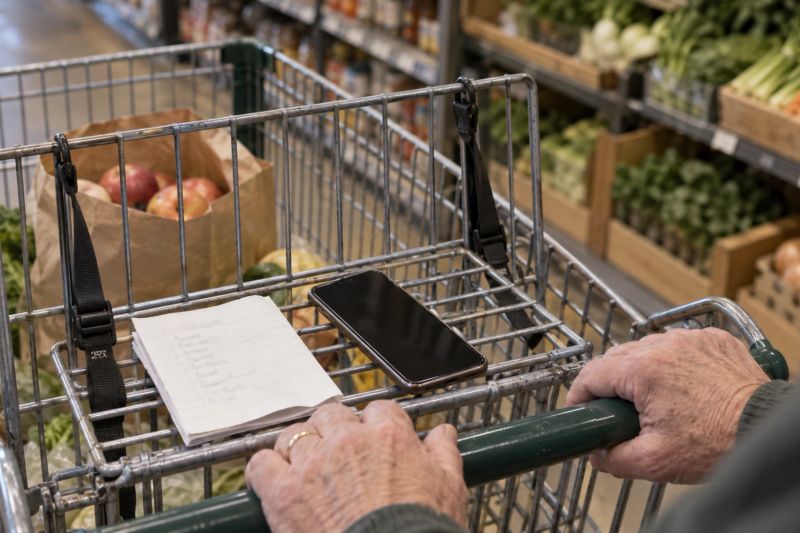
Check a line off the moment it goes into the cart. If you wait for the checkout or for the drive home, the list on the other phone is wrong while you are still in the aisles.
Before you leave, open the list again, even if you looked at it that morning. A line added at lunch is easy to miss. If two of you might shop on the same day, say so first, so you do not both buy the same things from the same list.
Step 5: Split the Store When You Shop Together
When two of you shop together, a list grouped by aisle splits without being rewritten. One of you takes the first half of the aisles, the other takes the rest, and you meet at the checkout. Each of you checks off as you go, so nobody walks back for something that is already in the other cart.
Our guide to the grocery list by aisle explains how to order the aisles and what to do with the deli and fish counters when you split.
Step 6: Start Each Week From a Clean List
After the big weekly trip, clear what you bought and carry the rest over on purpose: the thing that was sold out, the thing for next week. A list that keeps every old line grows until nobody reads it.
A Shared List Through One Week
Here is how one week can run for two adults with four planned dinners.
- Sunday. You plan four dinners together. The list starts with the 14 lines those dinners need, grouped by aisle, each one naming its dinner.
- Monday. One of you finishes the coffee and adds it to the list.
- Tuesday. The other adds dish soap and a bag of apples for lunches.
- Wednesday. One of you shops on the way home, opens the list in the store and checks off all 17 lines.
- Thursday. The other passes a store, opens the list, sees nothing left on it and keeps walking.
Where Simmerset Fits
Simmerset makes the list from the week. It suggests three to seven dinners and writes one grocery list for them, grouped by aisle, with amounts added up across dinners where the units allow. Every line says which dinner needs it.
On the Free plan two adults share the household, the week and the list, each on their own phone, and Plus shares them with up to six adults. Each of you can check lines off and add things by hand; what you add sits under Added by you and stays when the week changes. A check-off counts for the whole household, and the list loads again every time you open it or come back to the app. If two people change the same amount at once, Simmerset asks which one to keep and never adds the two together. For someone outside the household, Share sends the list as text or copies it.
There is no retailer account and no store to pick. Simmerset runs in the browser, and there is an iPhone app in the App Store and an Android app on Google Play. With no signal in the store, the phone still shows the last saved copy of the week and the list, read only.
The list does not update on its own while it sits open on the screen. The other person’s check-offs show when you open the list again or come back to the app. It does not show who added a line, it does not assign lines to people and it does not split the list by store.
Frequently Asked Questions
How Do I Share a Grocery List With My Partner?
Keep one list in a place you can both open, usually a list app or a shared note on both phones, and delete every other copy. Start it from the week’s dinners, add anything you use up as soon as it runs out, and check lines off as they go into the cart.
What Is the Best Way to Share a Shopping List With Family?
Use one list that everyone can add to, with one rule: whoever uses the last of something adds it, with an amount. Children can add what they want too, as long as a parent reads the list before the trip.
How Do We Stop Buying the Same Thing Twice?
Check each line off as it goes into the cart, open the list again before you start, and tell the other person when you are going shopping, so you are not both in a store with the same list.
Can I Share a Grocery List With Someone Who Does Not Use the App?
Most list apps can send the list as text. In Simmerset, Share on the list sends it or copies it as text, and the person reading it needs no account. They cannot check things off on your list, so check off what they bought yourself when they are back.
How Do Two People Shop From One List at the Same Time?
Split the list by aisle, half each, and check off as you go. Agree where you meet, and give the deli and fish counters to one person.